

- Open the My Account dropdown menu and select Admin Console.
- Select Manage Users to access the Keycloak user interface (UI).
- Log in using your Keycloak admin account credentials.
- Select Realm Setting from the left-hand navigation.
-
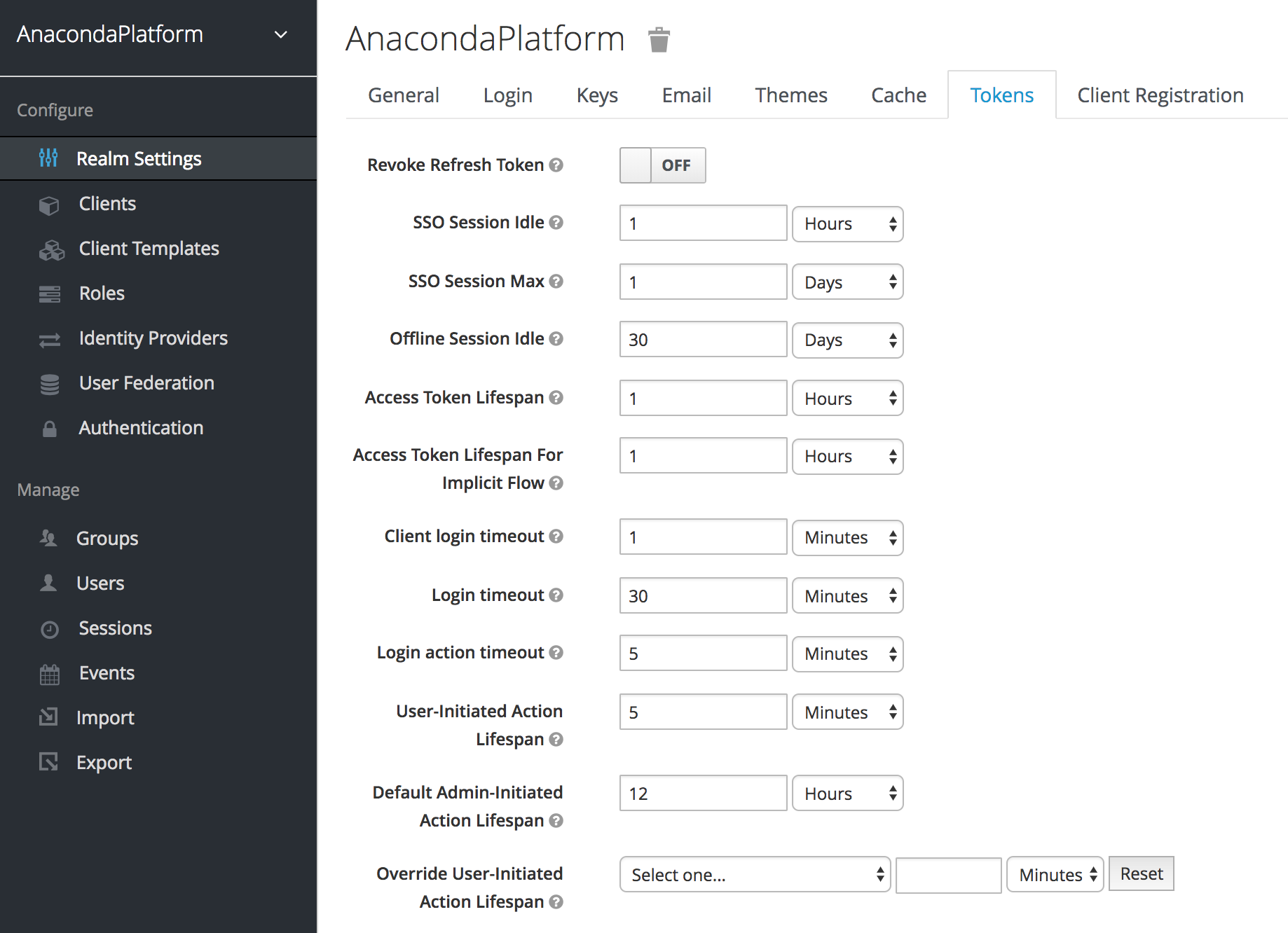
Click the Tokens tab at the top to display the following:
-
Use the available configuration options to specify maximum thresholds for each aspect of user sessions, including the following:
- Time limits for idle browser sessions and single sign on (SSO) tokens
- Lifespans for OpenID access tokens
- Time limits for login-related actions, such as resetting a forgotten password
- Click Save to save your changes to the Workbench platform.
Configuring session timeouts
As an Administrator, you can configure session timeouts for Data Science & AI Workbench platform users, to help you adhere to your organization’s security standards or enforce policies.
You’ll use the Administrative Console’s Authentication Center to set the various parameters related to session timeouts: