

Two-factor authentication (2FA) can be enabled in Keycloak using either Google Authenticator or the One-Time Password(OTP) tool FreeOTP. For more background on OTPs, see Keycloak’s documentation on OTP.Documentation Index
Fetch the complete documentation index at: https://anaconda.com/docs/llms.txt
Use this file to discover all available pages before exploring further.
For all new users
- Log in to the Keycloak administrative console.
- Navigate to the dev realm.
- Select Realm settings from the left-hand navigation.
-
Select the Themes tab.
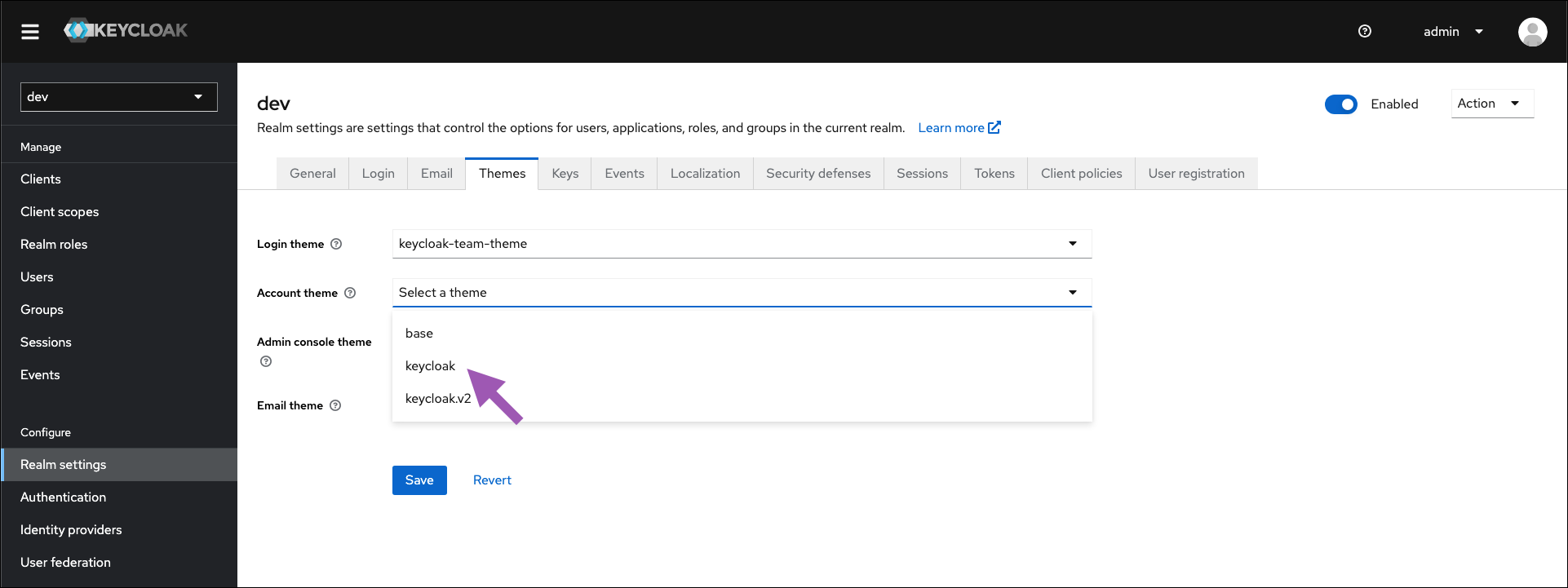
- Open the Account theme dropdown menu and select keycloak from the list.
- Click Save.
- Select Authentication from the left-hand navigation.
- Select the Required actions tab.
-
Find Configure OTP in the Required actions column, and toggle Set as default action to
ON.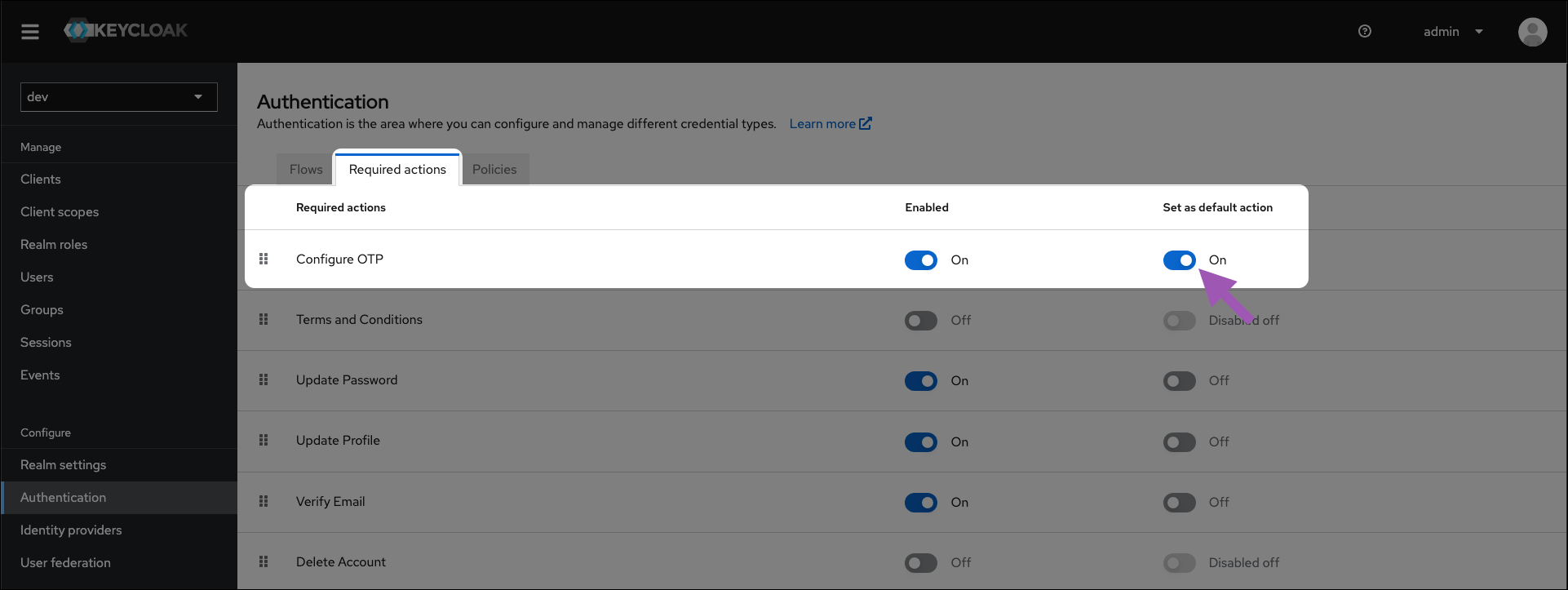
For existing users
This must be done for every user that does not have an OTP configured.
- Log in to the Keycloak administrative console.
- Navigate to the dev realm.
- Select Users from the left-hand navigation.
- Select a user from the list to view their profile page.
- Open the Required user actions dropdown menu and select Configure OTP.
- Click Save.