

- Perform pre-migration setup.
- Run the project migration script.
- Perform post migration cleanup.
- Adding collaborators.
- Update the Data Science & AI Workbench config map with the information required to connect to the external version control repository.
- To run the project migration script, you’ll need Administrator access to a command line tool that can run bash or Python scripts on the master node of the Workbench cluster.
- Ensure a recent version of
gitis installed on the master node* You’ll also need the origin Git host token/password, and destination Git host token/password.
Pre-migration setup
-
If you haven’t already done so, on the master node, change to the
directory of the unpacked Workbench installer and install
the bootstrap conda environment:
- After the environment is finished installing, you might need to log out and log back in to activate the conda environment.
-
Temporarily disable reverse proxy authentication by adding the following
key-value pair to the
gitsection (outside of thestoragesection in the config map) of theanaconda-enterprise-anaconda-platform.ymlfile used to configure the platform to use an external version control repository:This should look similar to the following: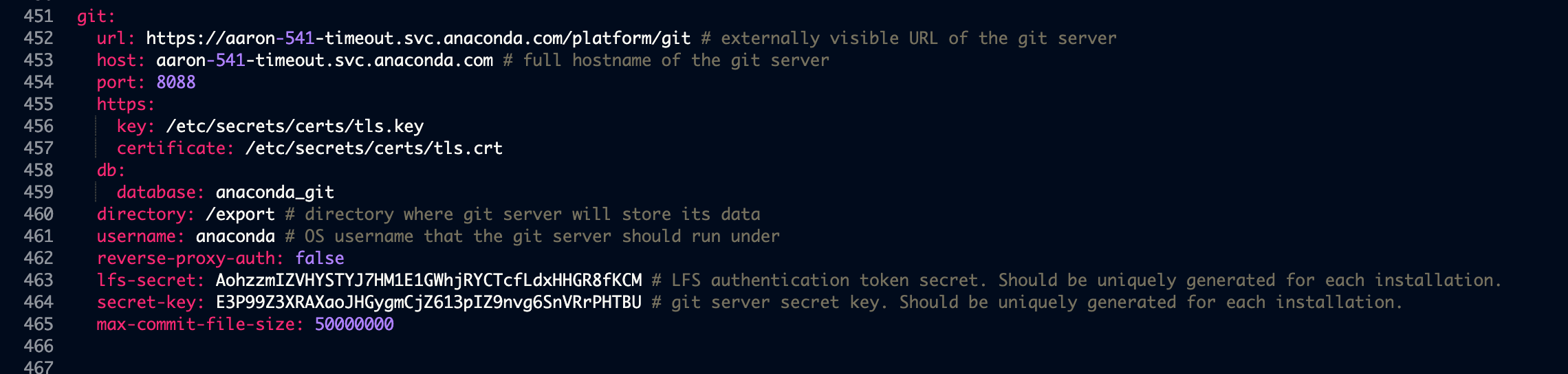
-
Run the following command to restart the associated pod on the master node:
-
Create a user mappings file that maps Workbench user IDs to Git user
IDs. This is a colon-separated text file where the first field is the Workbench user
name, and the second field is the corresponding Git user name. For example:
If you intend on migrating to or from a Bitbucket repository, you must use your
Bitbucket account IDinstead of yourBitbucket usernamein theuser mappings file.
Using the migration tool
The migration tool is a Python script,migrate_projects.py, found in the Workbench installation tarball. It can be used in the following ways:
The postgres password can be left blank. When migrating from Workbench, the
origin-token can be left blank. When migrating to Workbench, the dest-token can be left blank.When migrating to GitLab Cloud, please use the
--cloud flag.Post-migration cleanup
After the script finishes migrating the projects, re-enable reverse proxy authentication by editing the key-value pair you previously added to thegit section of the anaconda-enterprise-anaconda-platform.yml file,
so it looks like the following: