Anaconda Platform (Cloud) audit logs are currently available through a limited early access program.
The audit log is a running history of actions taken by users within your Anaconda Platform organization.

Viewing audit logs

To view your audit logs:
  1. Sign in to Anaconda.com.
  2. Navigate to your Organizations page.
  3. Select the organization you want to view audit logs for.
  4. Under User Management, select Audit Logs.
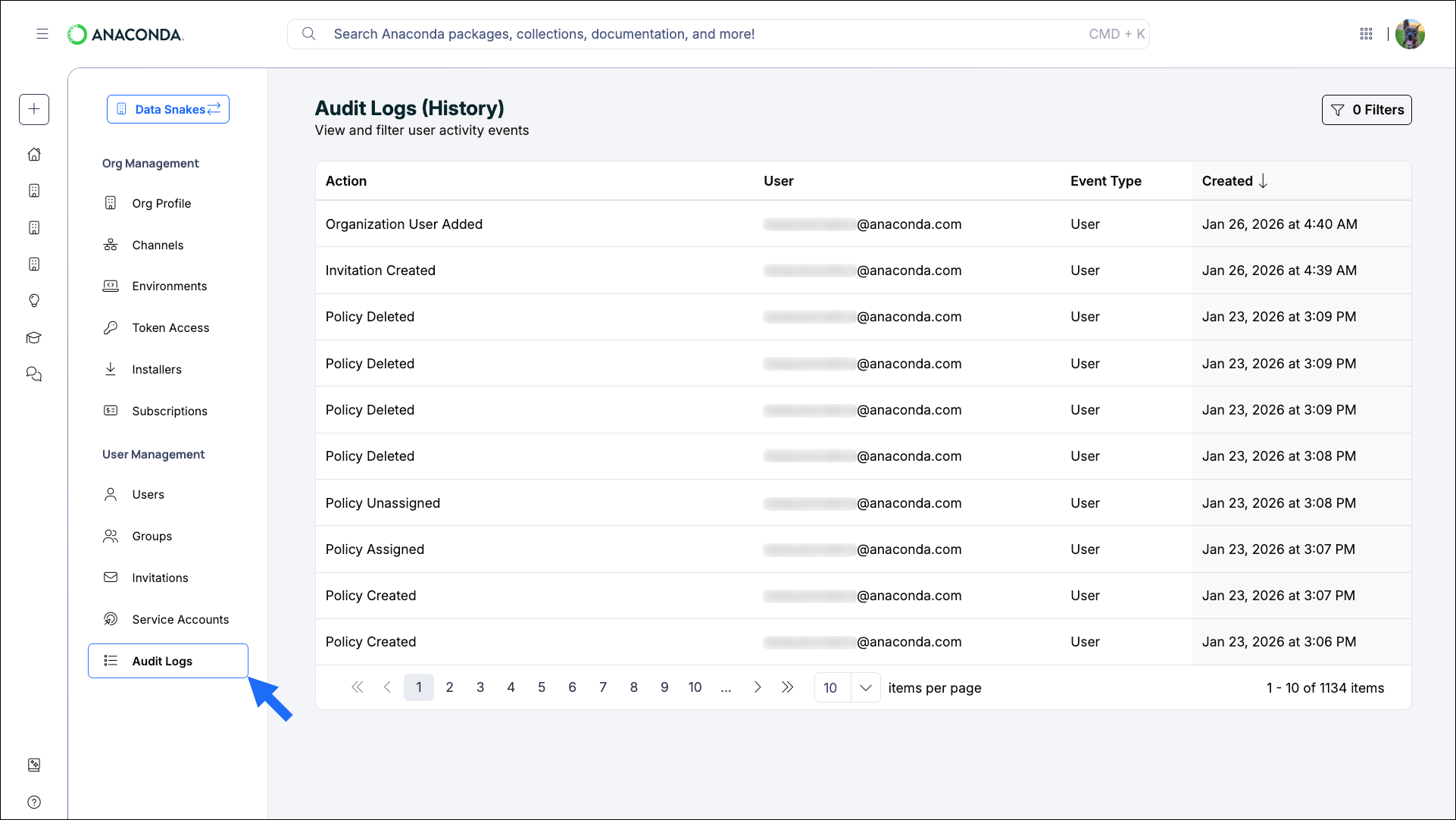
Use the controls at the bottom of the page to navigate between pages of events and change how many items are displayed per page.
Audit log view
Event
Description
Audit Log Export Requested
An administrator requested an export of the audit log.
Event
Description
Channel Created
A new channel was created in the organization.
Channel Deleted
A channel was deleted from the organization.
Group Assigned To Channel
A group was granted access to a channel.
Group Unassigned From Channel
A group’s access to a channel was removed.
Event
Description
Invitation Created
An administrator invited a user to the organization.
Organization Updated
Organization details were updated.
Organization User Added
A user joined the organization.
Organization User Removed
A user was removed from the organization.
Organization User Updated
A user’s role was updated.
Authentication Success
A user successfully authenticated to the organization.
Policy Assigned
A policy was assigned to a user or group.
Policy Created
A new policy was created.
Policy Deleted
A policy was deleted.
Policy Unassigned
A policy was removed from a user or group.
Policy Updated
An existing policy was modified.
Product Assigned
A user was assigned a seat.
Product Revoked
A user’s seat was revoked.
Service Account Created
A new service account was created.
Service Account Deleted
A service account was deleted.
Service Account Updated
A service account was modified.
User Added To Group
A user was added to a group.
User Group Created
A new group was created.
User Group Deleted
A group was deleted.
User Removed From Group
A user was removed from a group.
Event
Description
Token Created
A user generated a new token.
Token Revoked
A user’s token was revoked.

Filtering audit logs

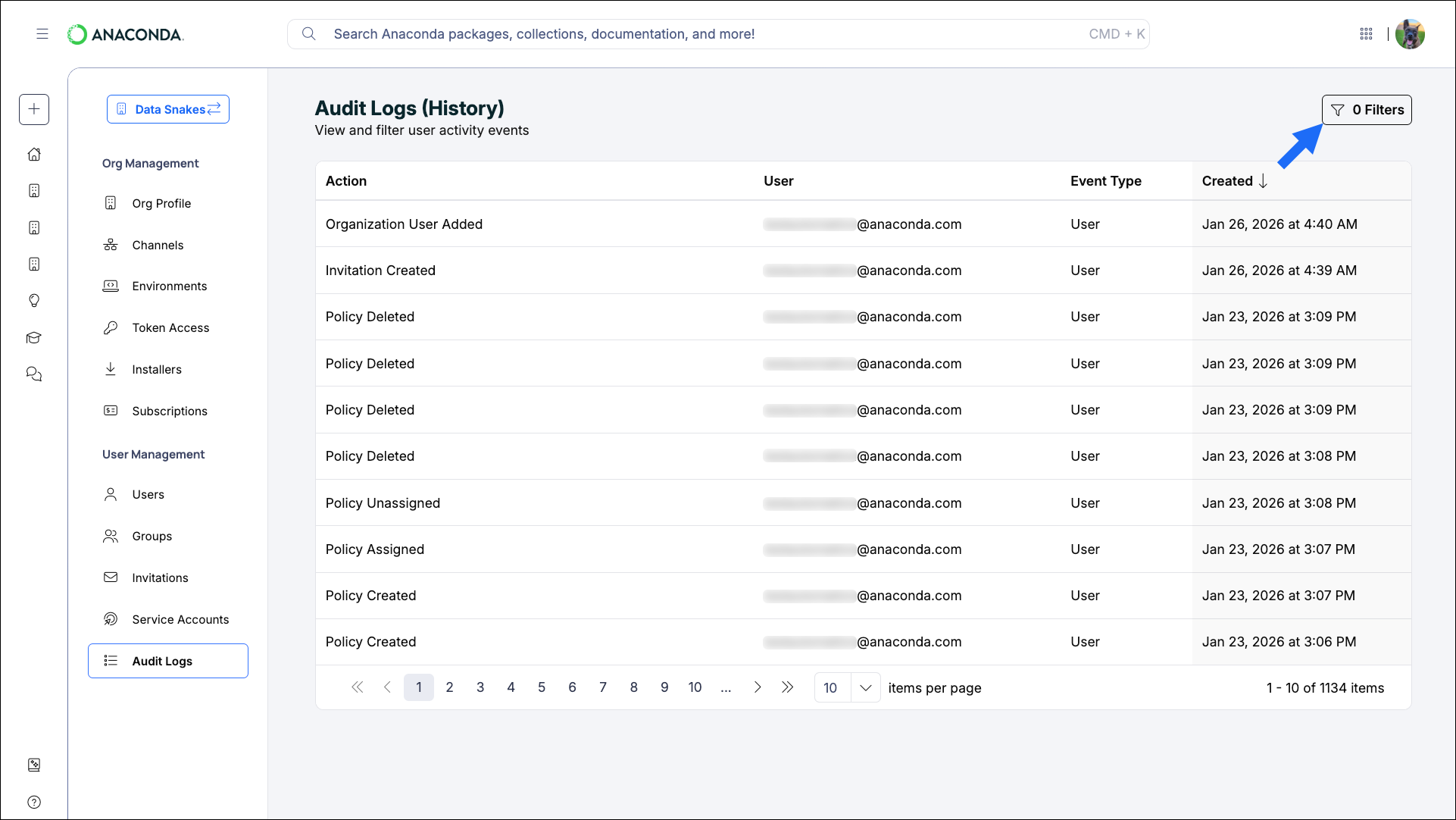
Apply filters to the audit logs to view specific actions taken by specific users. Select Filters to open the filters pane.
Audit log filter pane
Add Actions and Users from the dropdowns and limit your view to a specific time range to locate specific events.

Audit log API

The Audit Log API provides programmatic access to audit logs for your Anaconda Platform organization. Use this API to query, filter, and export audit log events for security monitoring, compliance reporting, and operational analysis. Anaconda maintains a Jupyter Notebook that contains helper functions for interacting with the audit log API: