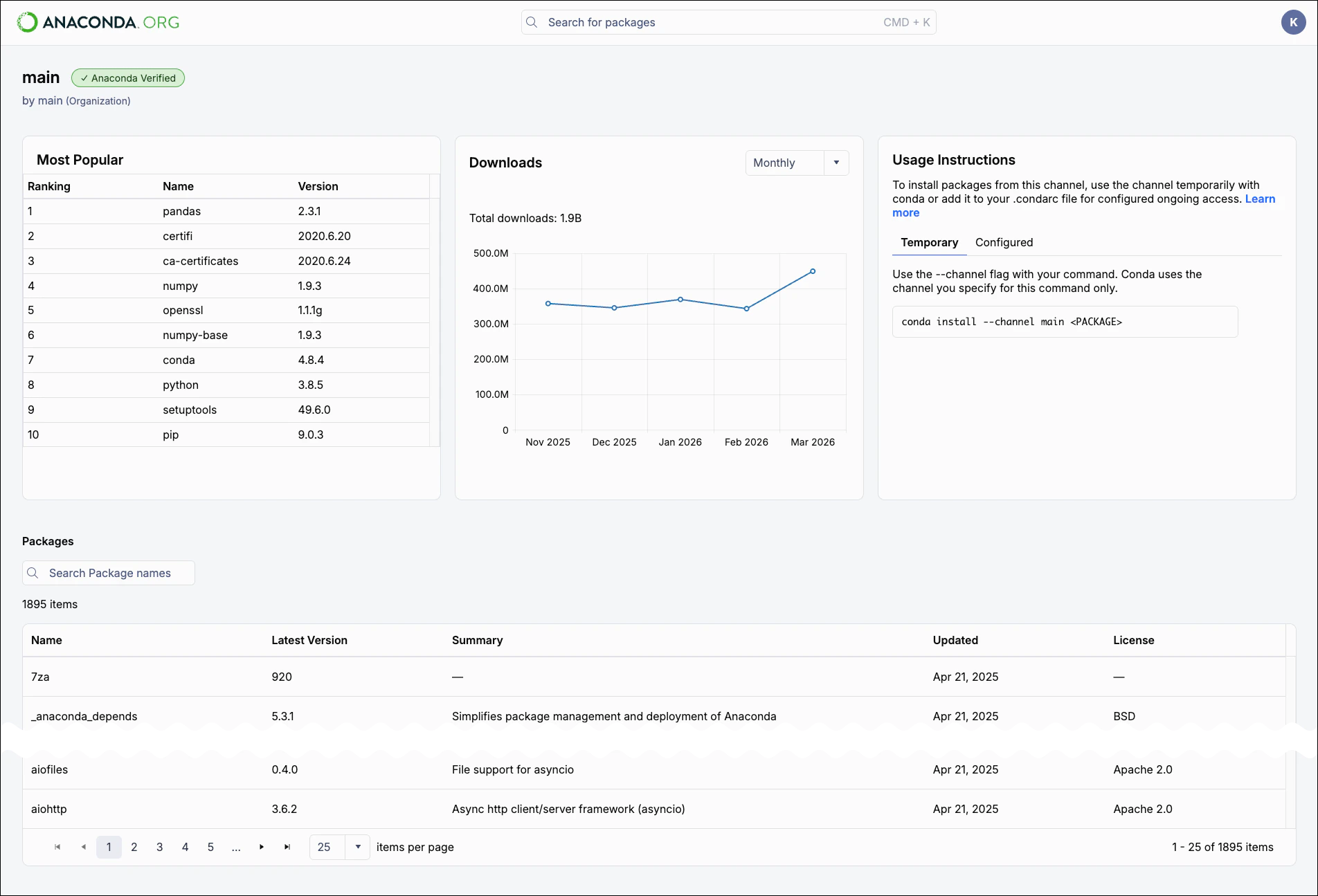
Anaconda is releasing a new user experience that is affecting some of the pages on Anaconda.org. Search, package details pages, and channel pages have a new look and feel, but be aware that some pages will still have the old interface for now.
An Anaconda account and a token with appropriate permissions are required to access other users’ private packages. See Tokens.
Searching for public packages
Search for packages by name or partial name using the search bar. The package card includes the package name, latest version, channel, number of downloads, and a brief description.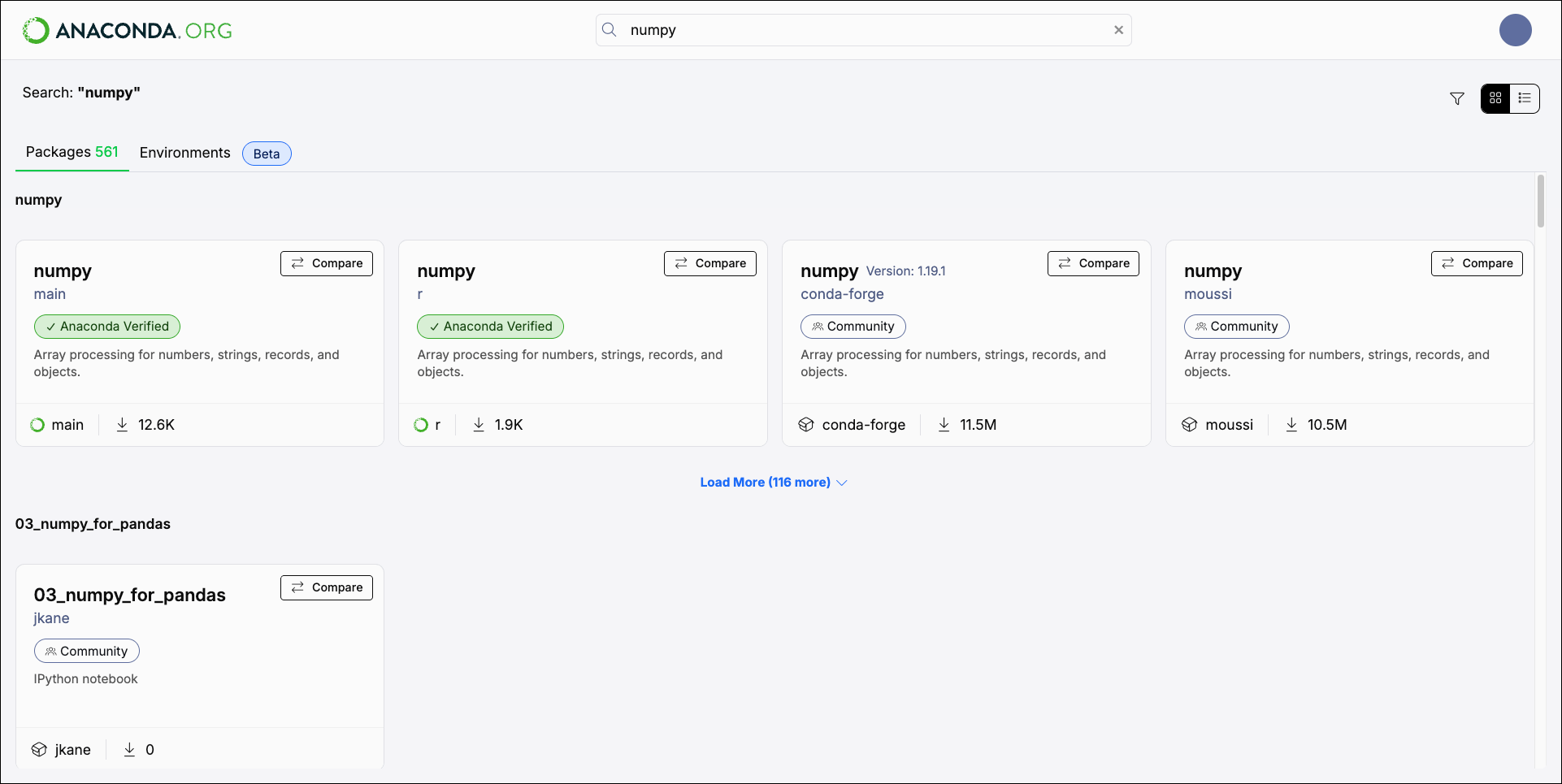
Viewing package information
Select a package card to open that package’s detail page. Each detail page includes the following information about the package: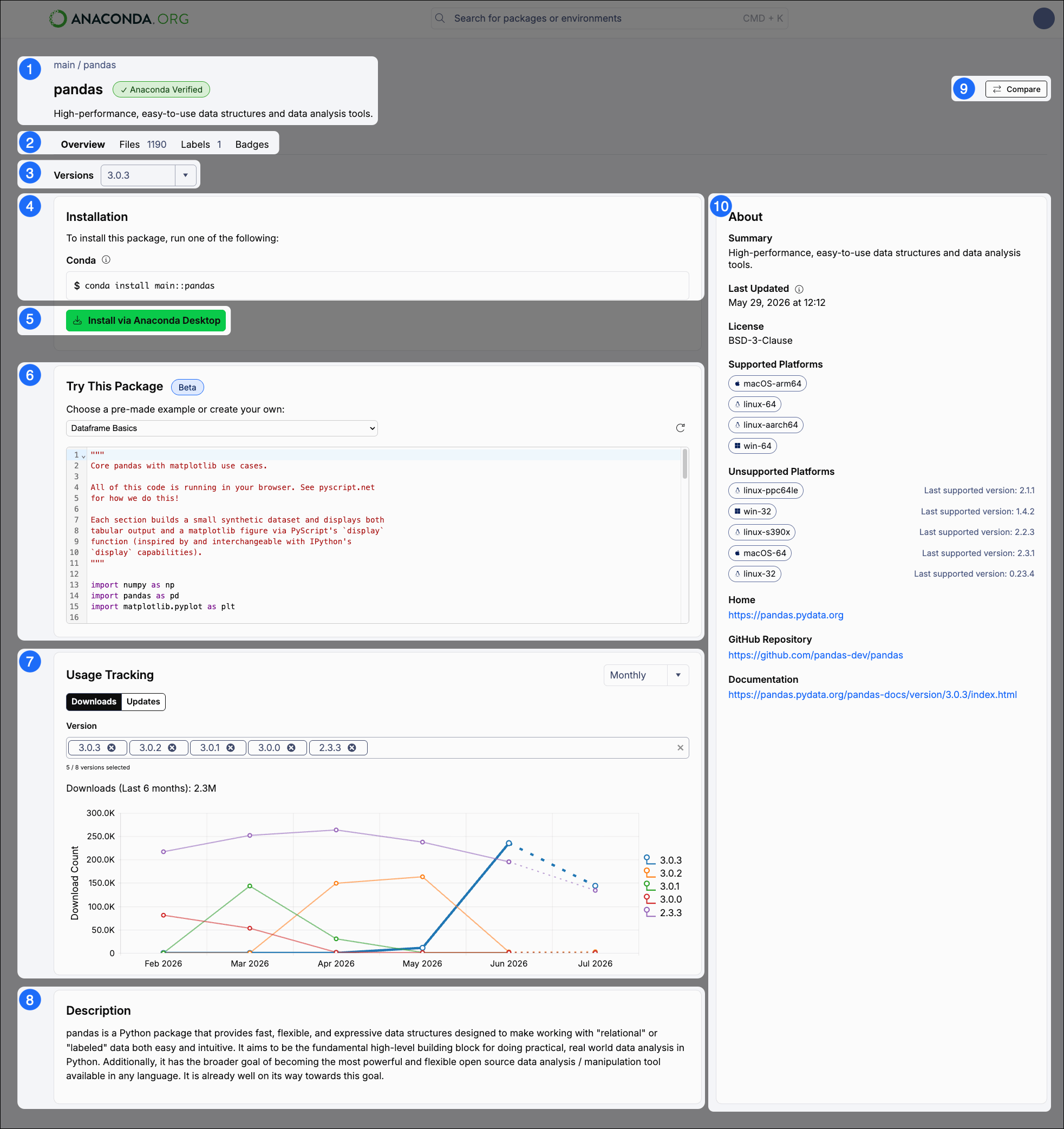
1
Package introduction
This section contains the following:
- Breadcrumbs linking back to the package’s channel (channel / package). Select the channel to view its homepage.
- The name of the package.
- A badge describing whether the package is or built.
- A short package description.
2
Tabs
A set of tabs giving you access to more package information:
3
Version
Use the dropdown to select the package version you want to download. The information on the Overview tab changes when the version changes. The latest version is selected by default.
4
Installation
Installation commands for the package version selected. Select the command to copy it for use in your command line interface (CLI).
5
Install via Anaconda Desktop
Click Install via Anaconda Desktop to install this package into your environment using Anaconda Desktop. For more information, see Packages.
6
Try This Package
This feature is in beta and is only available for certain packages.
7
Usage Tracking
Use the Downloads and Updates tables to view the usage statistics for your selected package.
8
Description
A description of the selected package.
9
Compare button
An Compare button for comparing this package to others. For more information on package comparison, see Comparing packages.
10
About
General information about the selected package, including the date and time when the package was last updated, the package’s license, supported (and unsupported) platforms and architectures, and relevant links for more information about the package.
Viewing channel information
There are several ways to view a channel’s homepage:- Select the channel from a package’s details page
- Use the List view for your search results, then select a channel from the Channel column.
- Navigate to
anaconda.org/channels/<CHANNEL_NAME>, where<CHANNEL_NAME>is the name of the channel. This can be an organization or user channel.