

- Log in to the Keycloak administrative console.
- Verify you are in the dev realm.
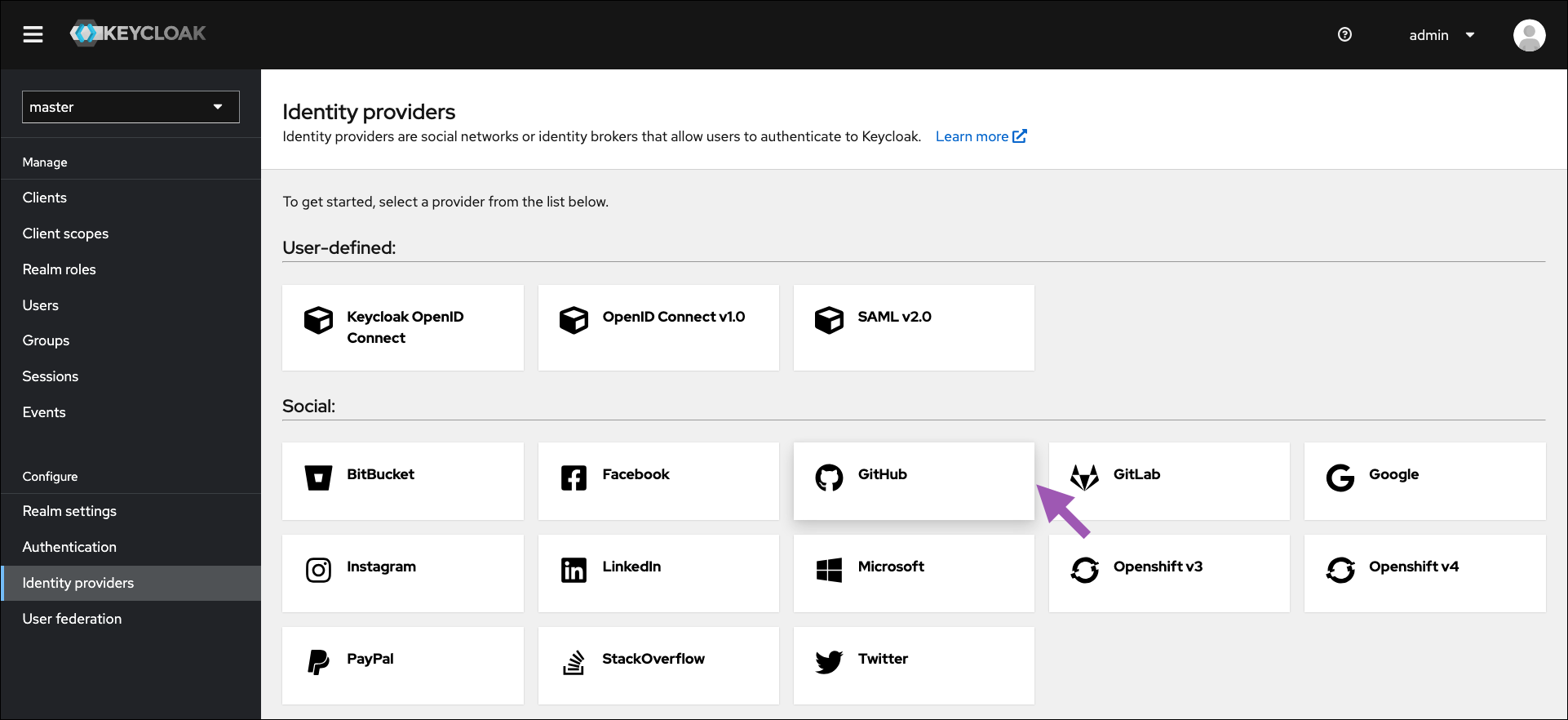
- Select Identity providers from the left-hand navigation.
-
Click GitHub.
-
Enter the ClientID/Secret from your GitHub OAuth application settings.
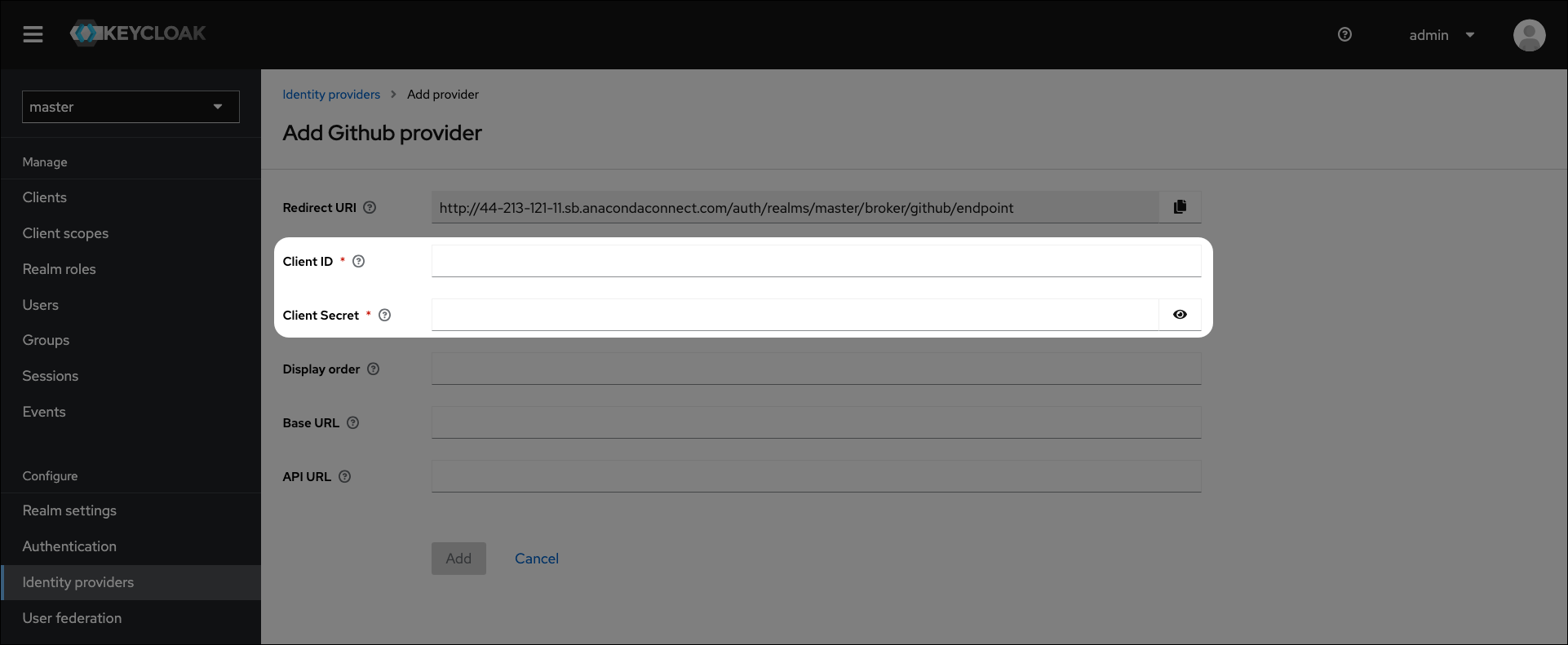
- Click Add.
- Verify the GitHub link appears on the login page.
Github login integration
To enable users to log in using their GitHub credentials, complete the following steps: