Documentation Index
Fetch the complete documentation index at: https://anaconda.com/docs/llms.txt
Use this file to discover all available pages before exploring further.
This page is no longer maintained, and may be out of date.
These instructions refer to Anaconda Distribution exclusively, but will also work with Miniconda.
-
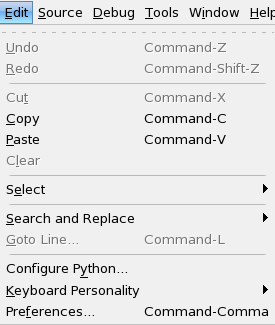
Navigate to the Python configuration window:
- In Wing 101, in the Edit menu, select Configure Python.
- In Wing Personal and Wing Pro, in the Project menu, select Project Properties.
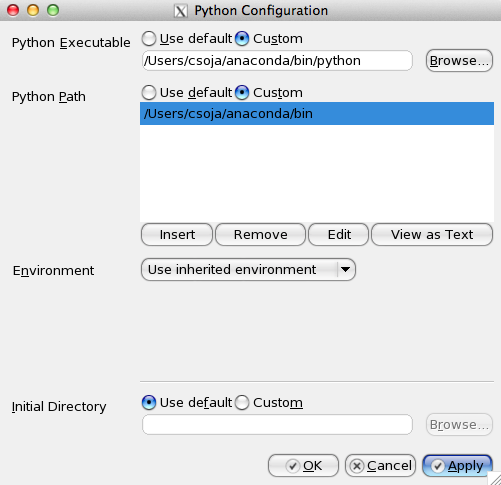
- Beside Python Executable, click the Custom radio button.
- Click the Browse button and navigate to your Anaconda Python interpreter path.
- For Python Path, click the Custom radio button.
- Click the Insert button and browse to your Anaconda Python interpreter path.
-
Click the OK button:
-
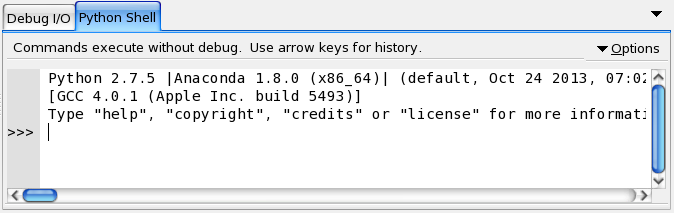
If you are prompted to reload your Python shell, do so. After the reload, Anaconda is displayed on the Python Shell tab:
Wing IDE is now set up to Anaconda’s Python.