> ## Documentation Index
> Fetch the complete documentation index at: https://anaconda.com/docs/llms.txt
> Use this file to discover all available pages before exploring further.
# Enabling brute force protection
Keycloak provides a number of mechanisms to help secure your Workbench from identity-based attacks. A brute force attack is a method in which an attacker guesses your password by repeated guessing. To protect your installation against such attacks, follow these steps:
1. [Log in to your Keycloak administrative console](./users#creating-and-configuring-users).
2. Select **Realm Settings** from the left-hand navigation menu.
3. Select the **Security Defenses** tab.
4. Select the **Brute Force Detection** tab.
5. Toggle **Enabled** to `ON`.
6. Set the parameters for your organization’s brute force defenses. Hover your mouse over the question mark to see what each parameter manages.
7. Click **Save**.
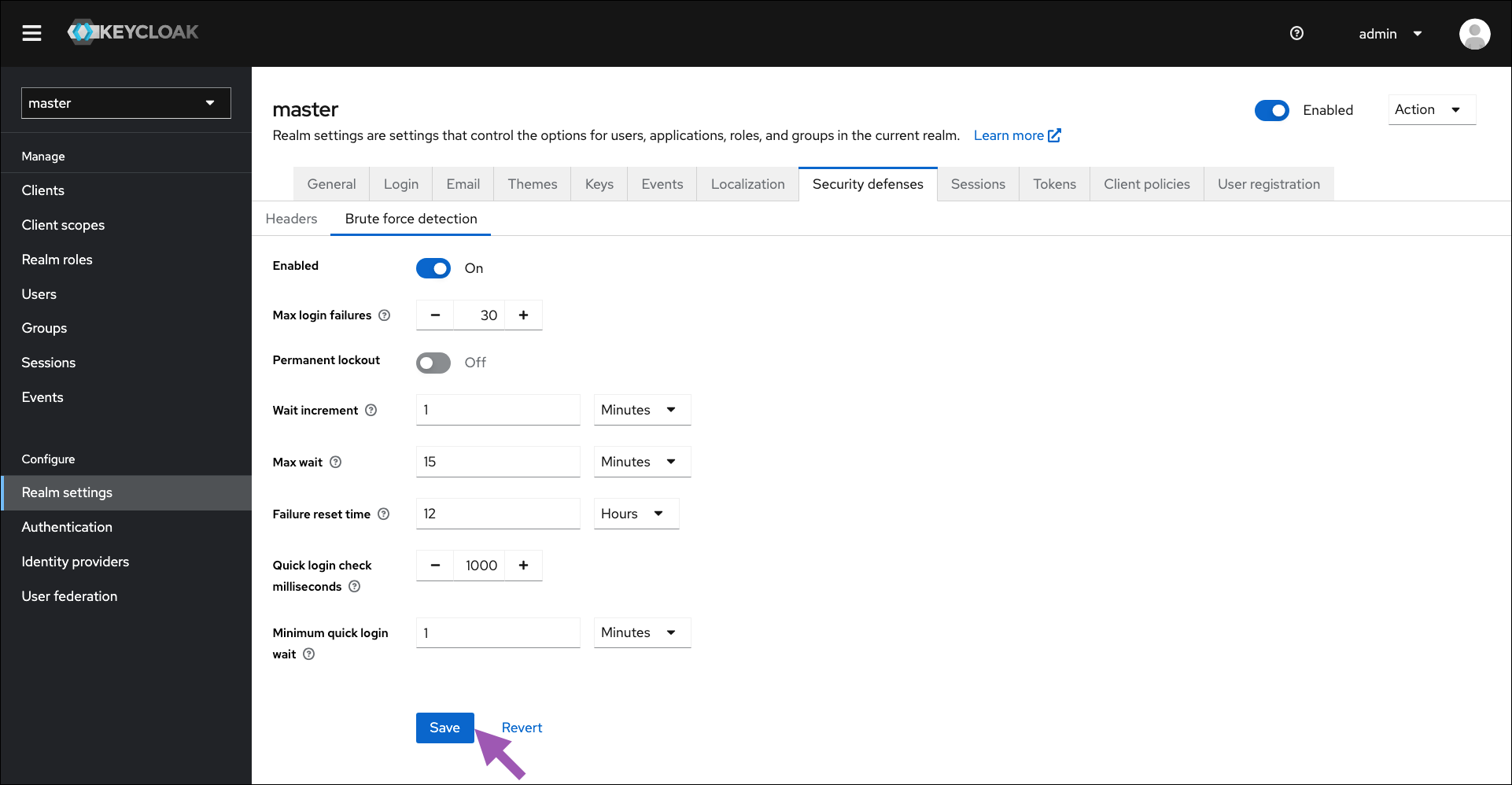 To disable these settings at any time, return to the **Brute Force Detection** tab and toggle **Enabled** to `OFF`.
## Other security mitigations
For more information about brute force protection and using Keycloak to mitigate other security threats, please see [Keycloak’s official documentation](https://www.keycloak.org/docs/latest/server_admin/#mitigating_security_threats).
To disable these settings at any time, return to the **Brute Force Detection** tab and toggle **Enabled** to `OFF`.
## Other security mitigations
For more information about brute force protection and using Keycloak to mitigate other security threats, please see [Keycloak’s official documentation](https://www.keycloak.org/docs/latest/server_admin/#mitigating_security_threats).